


If you prefer to always view the website in English, please click here.
What to do in the event of an energy fault: a quick guide (electricity and gas)
No electricity at home? Can you smell gas and don't know what to do? When a problem arises with your electricity or gas supply, the most important thing is to stay calm and follow some step-by-step rules to guarantee your safety and speed up the solution. This guide will help you identify the source of the problem and know who to contact.
First things first: Safety
Before looking at fuse boxes, valves, meters, or thinking about calling a technician, there is one thing you must never forget: check if there is any risk to people. Everything else takes a back seat.
What to do if there are sparks or a burning smell?
The first thing is to stay calm and avoid any action that could make the situation worse.
Do not touch anything if your hands are wet, and do not handle plugs or cables directly.
If you can do so safely, turn off the power at the main switch. But if you see sparks, smoke, or notice a strong burning smell, do not try to fix it yourself: move away from the area immediately and call the emergency services.
What to do if you smell gas?
A smell of gas must always be treated as an urgent situation. If in doubt, act quickly and carefully.
Do not flick any light switches, do not unplug appliances, and do not use your mobile phone inside the property. Open doors and windows to let air circulate, turn off the main gas stopcock if you know where it is – provided you can do so safely – and leave the building. Then, make the emergency call from outside. In this case, the order is key: first ventilate, then turn off the valve if possible, leave the property, and finally, call the emergency services.
Identify the type of fault in 60 seconds
If there are no signs of imminent danger and you simply have no power at home, it's time to do a little investigating. The goal is to find out if the problem is yours or with the main grid. This is essential because it will determine your next steps.
Does it only affect your home or the whole building/neighbourhood?
Look to see if there are lights in the stairwell, communal areas, or street lighting. If your neighbours don't have power either, it's most likely a general outage (power cut).
Has the fuse box tripped?
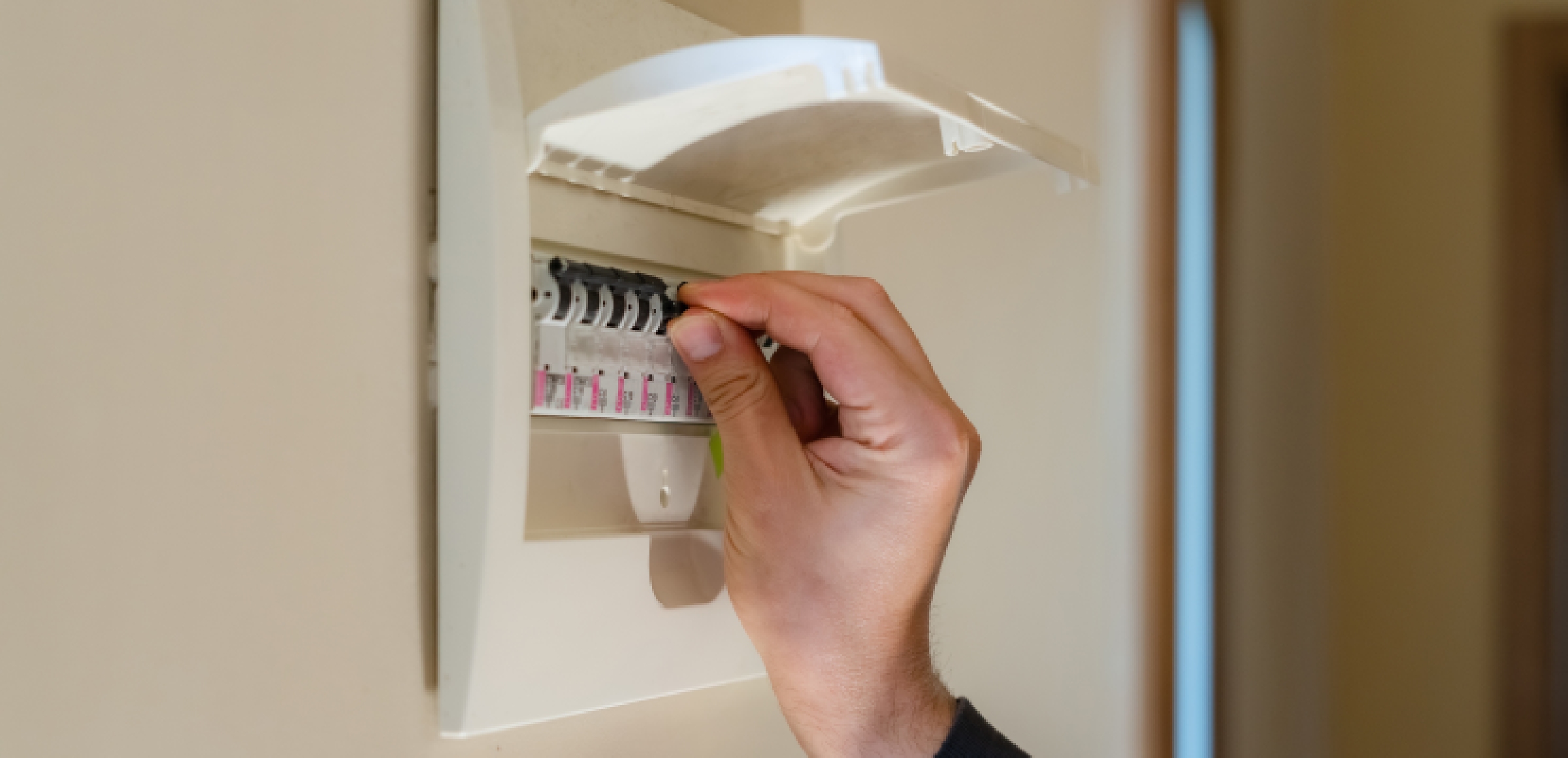
Check if the switches on your main consumer unit are down. Pay attention to the RCD (Residual Current Device), which protects people from electric shocks and earth faults, while the MCBs (Miniature Circuit Breakers) protect against overloads.
Is it a meter or power capacity problem?
If the power went out when you switched on several appliances at the same time, it is very likely that you have exceeded your contracted power capacity and the ICP (Power Control Switch) has tripped automatically to prevent damage.
Is it gas/boiler/hot water?
If you have no hot water or heating, check if the boiler is showing an error code or if it might be a general problem with the gas supply. If the hob doesn't work either, it could be a problem with the general gas supply.
If you have no electricity: quick steps (risk-free)
You have checked that the rest of the world has power, but you are still in the dark. In this case, it's simpler than it seems: go to your home's fuse box and check the switches.
Step 1: Check your main fuse box (consumer unit).
Make sure all the switches are up, and above all, check if the RCD is down; this will indicate an earth fault or overload.
Step 2: Unplug appliances and flick the switches up one by one
If a switch won't stay up, unplug the appliances on that circuit and flick it up again. This will help you identify which one is causing the problem.
Step 3: If it trips again, don't force it
If the RCD keeps tripping, there could be a serious earth fault or short circuit; in this case, call a certified electrician.
If the RCD trips: common causes and what to do
This is one of the most common questions: what to do when the RCD trips and you've already tried everything. The RCD is the safety switch that protects people from electric shocks and earth faults. If it trips, it means something in your installation isn't working as it should.
Common causes
The RCD normally trips due to moisture in a component, a faulty appliance, old wiring that can't handle the load, or an overload from connecting too many devices.
What to do step-by-step
Flick down all the circuit breakers, flick the RCD back up, and then flick the circuit breakers up one by one until you find the one that causes the system to trip.
When it's urgent to call a professional
If the switch won't stay up, you smell burning, or you see sparks, you should call an electrician as soon as possible to check the property.
If you think it's a grid problem: when to call your network operator
What should I do? Do I need to call the network operator right now? This is a very common question.
Signs of an external fault
If the entire building or street is in the dark, or if your meter displays no signal, it is the responsibility of your local network operator.
Network operator vs. Supplier
Network operator: This is the company that installs and maintains the cables, pipes, and meters. If the fault is in the street or the meter isn't working, they are responsible. Their number is on your bill, usually in a section called 'Supply details' or 'Fault reporting'.
Supplier: This is the company you signed the contract with and the one that bills you every month. They are responsible for billing you for your energy, but not for fixing poles or cables.
If you smell gas: what to do (urgent)
What to do in the event of a gas fault depends on the symptoms. If the problem is that you have no hot water or heating, but the hob works, the fault lies with the boiler, not the supply. If the hob won't light either, it could be a general outage or a problem with your installation.
Immediate steps
Open doors and windows to ventilate the space, avoid flicking switches or using electrical appliances, and, if you can do so safely, turn off the main gas stopcock. Leave the property immediately.
Who to call
Contact your gas network operator's emergency service or call 112 for the emergency services.
What NOT to do
Do not use your mobile phone or landline inside the area where you smell gas. Be careful not to use a naked flame or lighter to locate the leak, as this can be extremely dangerous.
If you have no heating or hot water: quick diagnosis
First, check the boiler pressure (it should be between 1 and 1.5 bar) and look for any error code on the screen. Also, check that the thermostat has batteries and is programmed correctly. If everything looks fine but it still isn't working, check if gas is reaching other appliances (like the hob) to rule out a general supply fault.
Check boiler pressure (if applicable) and on-screen errors.
If you have no hot water or heating, the first thing to look at is your equipment's control panel. Please note that there are dedicated maintenance services designed to fix these technical faults. While exact pressure levels vary by model, as a general recommendation, you should check that the pressure gauge needle is in the green zone (usually between 1 and 1.5 bar; this is a rough guide, so check your equipment's manual). If a numerical error code or a flashing red light appears, write it down; this will be vital when you call technical support so they can identify the faulty part.
Thermostat/programming
Sometimes the fault is not with the boiler, but with the device that controls it. Check that the thermostat has batteries and that the programming hasn't been wiped out by a previous power cut. It's quite common for electronic devices to return to their factory settings or lose their programming after a blackout, which can prevent the heating from coming on even if the gas supply is working perfectly.
Is it a supply fault or an equipment fault?
To be sure, try a simple test: try to light the kitchen hob if it's a gas one.
If the hob works: Gas is reaching the property, so the problem is with your equipment (boiler) and you should call a certified technician or your maintenance service.
If nothing works: It's likely a grid supply fault. In this case, the network operator is responsible.
A quién llamar según el tipo de avería (tabla resumen)
| Problem | Usually means... | Who to call |
|---|---|---|
| Power cut in your home only | Fault in the installation/an appliance | Electrician/Maintenance service |
| Power cut in the whole building | External grid problem | Network operator |
| RCD won't stay up | Earth fault/Short circuit | Emergency electrician |
| Smell of gas | Risk of leakage | Emergency services/Gas network operator |
| Boiler fault | Equipment breakdown | Manufacturer's Official Technical Service (SAT)/Certified technician |
What information to have ready for the call
To speed up the process, have your CUPS (Universal Supply Point Code) number – which appears on your bill – and the exact address of the supply point to hand. With this information, the support team will be able to locate your supply point and help you faster.
How to prevent common energy faults
The best fault is the one that never happens. Keeping your installations in top condition not only gives you peace of mind but also helps you avoid unexpected costs from emergency repairs.
Avoid overloading extension leads
Avoid plugging too many high-consumption appliances into a single plug socket.
Check old wiring
If your installation is quite old, a professional inspection can prevent short circuits.
Annual boiler maintenance
It is advisable to take out protection and maintenance services to have your electrical installation and boiler checked regularly.
Gas/CO detectors and electrical protection
We recommend taking out services like Protección Luz 360 and Protección Gas 360, which include cover for electricity and gas-related repairs. These services allow a professional to periodically inspect your installations to detect potential leaks or overheating points before they cause a fault or power cut.
Monitor usage and spikes
Monitoring usage spikes allows you to adjust your required power capacity and prevent the switches from tripping due to overloads.
How can Endesa help you in the event of a fault?
At Endesa, we have a rapid response system to resolve any incident. Upon receiving the alert, a technical protocol is initiated to identify the source of the fault and dispatch the nearest intervention team. The priority is to ensure the protection of the professionals carrying out the repair and to restore the supply as soon as possible.
To report an incident or check the status of your supply, you can do so via:
The Endesa Customer Area.
The Endesa App.
Our freephone customer helpline: 800 76 09 09
Knowing the steps helps you handle the situation quickly and safely.
Bear in mind that if the fault originates in your installation, you should contact a certified installer; if it is an external fault, call the network operator. In the meantime, apply the basic measures to protect your equipment and stay calm.
Take a minute to find the product that best suits you:
{{firstStep.title}}
Take a minute to find the product that best suits you:
{{title}}
{{content.phone.title}}
{{content.phone.text}}
{{content.phone.phoneText}}
{{content.form.title}}
{{content.form.text}}
{{content.form.success.title}}
You don't need to adapt to Endesa's tariffs because they adapt to you. If you go to our catalogue you can compare the different tariffs for yourself. Or if you prefer, you can answer a few questions and we will take care of comparing all the different electricity and gas tariffs and then make a customised recommendation.
Take a minute to find the product that best suits you:
{{title}}
{{content.phone.title}}
{{content.phone.text}}
{{content.phone.phoneText}}
{{content.form.title}}
{{content.form.text}}
{{content.form.success.title}}
You don't need to adapt to Endesa's tariffs because they adapt to you. If you go to our catalogue you can compare the different tariffs for yourself. Or if you prefer, you can answer a few questions and we will take care of comparing all the different electricity and gas tariffs and then make a customised recommendation.
Comparison of Electricity and Gas Tariffs
You don't need to adapt to Endesa's tariffs because they adapt to you. If you go to our catalogue you can compare the different tariffs for yourself. Or if you prefer, you can answer a few questions and we will take care of comparing all the different electricity and gas tariffs and then make a customised recommendation.
Do you want to see all our offers?
Spend a minute to find the product which best adapts to you:
{{firstStep.title}}
Spend a minute to find the product which best adapts to you:
{{title}}
{{content.phone.title}}
{{content.phone.text}}
{{content.phone.phoneText}}
{{content.form.title}}
{{content.form.text}}
{{content.form.success.title}}
Spend a minute to find the product which best adapts to you:
{{title}}
{{content.phone.title}}
{{content.phone.text}}
{{content.phone.phoneText}}
{{content.form.title}}
{{content.form.text}}