


If you prefer to always view the website in English, please click here.
Gamer's Day: how much a gaming setup consumes and how to save without quitting the game
If you are reading this article, you have probably been completely absorbed in a marathon session of your favourite video game at some point. And if you are a real pro, you will have done it on a boss-level monitor, with great speakers and a room lit up by LED strips.
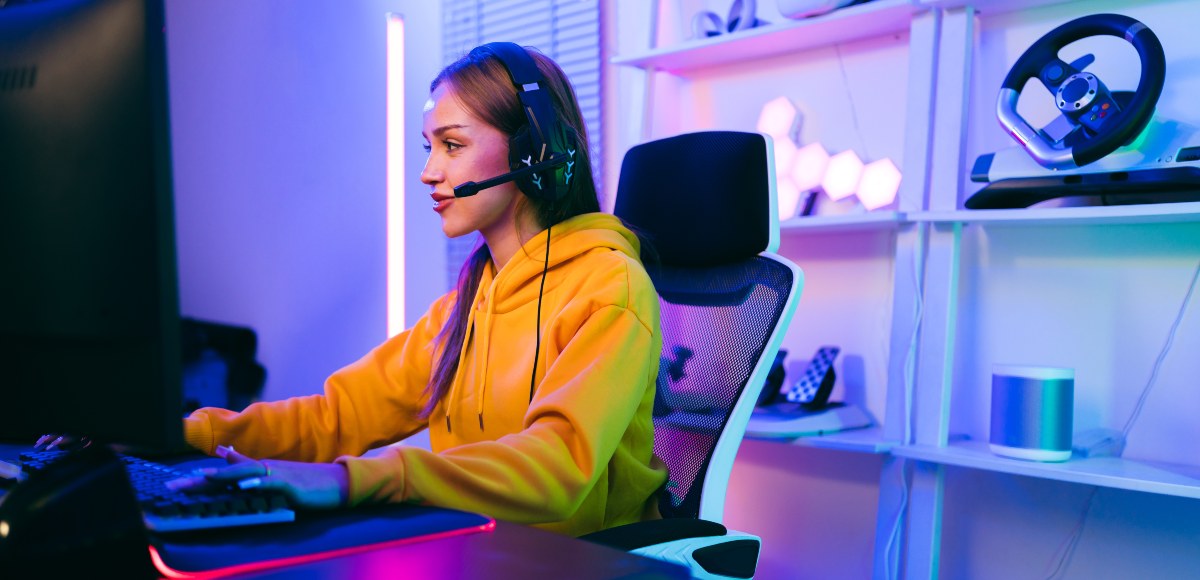
At that moment, the only thing that matters is smashing your way to the next level. However, another game is constantly running while you are in the middle of the action: your home's electricity meter, adding watt after watt to power every component of your gaming setup.
Understanding the energy your equipment demands is the first step to beating the savings level, allowing you to enjoy your favourite hobby worry-free.
Gamer's Day: an excuse to check your setup's consumption
Gamer's Day is the perfect date to celebrate your favourite hobby, but also to be mindful of what it means for your monthly bill. In Spain, we spend an average of 660 hours a year playing video games, double the amount of time we spend reading.
This dedication means our equipment is on for many hours, and hardware advances – which let us enjoy incredible graphics and smooth frame rates – have brought about an increase in PC electricity consumption.
A gaming PC differs from a standard one due to its high-end components: fast processors, powerful RAM, and, above all, high-performance graphics cards. All this technical firepower means a gaming setup consumes more than other household appliances, in some cases doubling the average annual consumption of a fridge. But how much is that exactly?
How much a complete gaming setup consumes
If you are wondering how much a gaming setup consumes, the answer varies depending on several factors. Browsing the internet is not the same as running a 4K title, for example. On standby, a PC might use between 80 W and 120 W, but when playing at maximum quality, that figure can exceed 500 W or 600 W on the most powerful rigs.
A standard complete setup – including a modern CPU, a powerful graphics card, motherboard, fans, a monitor, speakers, and illuminated peripherals – can average a total power draw of around 706 W.
Gaming PC: CPU, GPU, and monitor, the main players
When analysing how much a gaming PC consumes, three components take the biggest slice of the energy pie:
- Graphics card (GPU): It is, by far, the most power-hungry part of the setup. A mid-range card might have a TDP (Thermal Design Power, the expected amount of power needed to prevent overheating) of between 180 W and 220 W. Extreme high-end models alone can consume up to 450 W.
- Processor (CPU): The brain of the rig also demands its share, usually fluctuating between 65 W and 130 W.
- Monitor: This is a mandatory purchase for any desktop setup, and its consumption depends on the panel technology. A 27-inch 144 Hz monitor can consume between 30 W and 50 W, although some models, like OLEDs, can climb up to 80 W.
Console, screen, and router: the consumption of gaming without a PC
If you play your adventures on a console, energy usage tends to be a bit more moderate, although it partially depends on the model. For instance, a current-gen console can consume around 19 W while gaming. If we add the TV's consumption (which can be around 100 W to 300 W depending on size), the overall setup remains efficient.
However, the router should not be underestimated. Although its consumption is relatively low, if left constantly plugged in, it is one of the devices that adds the most energy per year on standby, at around 35 kWh annually.
RGB lights, speakers, and peripherals: small consumptions that add up
A gamer's sanctuary isn't complete without a personal touch. RGB lights are the preferred system for lighting, setting the mood, and creating the perfect gaming atmosphere. And although individual LEDs consume very little, a fully decorative setup can add around 30 W of extra power to your rig.
To this, we must add other peripherals:
- Speakers and headphones: Powerful speakers can make all the difference for immersion, while noise-cancelling headsets are ideal for multiplayer matches.
- Keyboard and mouse: Mechanical keyboards and precision mice have minimal consumption, but if they are covered in lighting, it all adds watts to the overall tally.
Standby and sleep mode: the gamer's vampire consumption
The phenomenon of vampire consumption, or phantom load, refers to the energy your devices waste simply by being plugged in, even when you aren't using them. For a gamer, this is especially relevant because we tend to leave our PCs and consoles in sleep or standby mode for quick boot-ups and to download updates.
According to the IDAE, this expense accounts for between 7% and 11% of an average household's total consumption.
To avoid this waste, it is best to use switched extension leads, allowing you to cut the power to your entire setup with a single click when you finish playing.
How to calculate how much a gaming session costs you
We have a very simple formula to find out exactly how much gaming costs you:
Setup power (in kW) x Usage time (hours) x Price per kWh = Total cost
You only need to gather three essential pieces of data: the wattage of your setup, your estimated gaming time, and the price of your tariff.
Let's look at a practical example:
- You have a 400 W gaming PC and a 40 W monitor; your total power is 440 W (0.44 kW).
- You game for 3 hours a day for a month (90 hours total).
- Your electricity price is €0.124571/kWh (current price for the Luz 24h Online Tariff in August 2026).
0.44 kW x 90 h x €0.124571/kWh = €4.93 a month
How to save electricity without losing gaming performance
- Limit your FPS: If your GPU is generating far more FPS than you need, capping your frame rate can reduce the GPU's workload and, consequently, its power consumption and temperature. For example, capping a game at 60 or 144 FPS can stop the graphics card from working unnecessarily to generate hundreds of extra frames.
- Enable V-Sync: V-Sync synchronises your FPS with the monitor's refresh rate and can prevent the GPU from generating unnecessary frames. This can reduce consumption, although its primary goal is to prevent screen tearing, and it can slightly increase latency.
- Undervolting: This involves lowering the operating voltage of your GPU or CPU, usually aiming to maintain a similar frequency and performance. When properly tuned, it can reduce power draw and temperatures without a noticeable drop in performance. However, the result depends on your hardware, and reducing it too much can cause instability.
- Configure sleep mode: Set up your PC so it automatically enters sleep mode after a few minutes of inactivity. Sleep mode significantly reduces consumption compared to leaving the machine running when no one is using it.
- Efficient power supplies: A more efficient power supply loses less energy as heat and can slightly reduce electrical consumption from the mains. Actual savings depend on the load and usage time.
Gaming in summer: climate control and setup heat
Gaming in the summer months presents an extra challenge that can be tougher than the final boss: high temperatures. A powerful PC can turn into a small heater due to the heat emitted by its components. And this heat adds to the nearly 40 degrees already outside in your town. So, you turn on the air conditioning, which has to work at maximum capacity, and that is when your expenses skyrocket. But don't panic; we have a few efficiency tips to help you beat the game while staying nice and cool:
- Keep your air conditioning temperature between 24°C and 26°C. Keep in mind that for every degree the temperature is lowered below 24°C, electricity consumption can increase by approximately 8%.
- Use your air conditioner's Eco mode. It is ideal for long sessions because it limits the compressor's power and efficiently maintains a stable temperature.
- Combine the AC with a fan. A fan helps distribute the cold air around the room, allowing you to turn the air conditioning thermostat up a couple of degrees without losing comfort.
Which electricity tariff fits best if you game at night
If you are the type who thinks a late-night gaming session is a brilliant plan, your best ally is a time-of-use tariff: those tariffs that divide the day into peak, shoulder, and off-peak periods.
Our Conecta 3 Periodos Tariff is particularly appealing for night-time gamers. It offers a much lower kWh price during off-peak hours (Monday to Friday from midnight to 8 am, and 24 hours a day on weekends and bank holidays).
If you focus your gaming sessions during these hours, you can save up to 50% on the energy term compared to a flat-rate tariff. It is a natural way to save electricity while playing video games without having to constantly watch the clock, as weekends are always off-peak.
Frequently asked questions about gaming, electrical consumption, and bills
How much does a gaming monitor consume?
A standard 24–27 inch monitor usually consumes between 30 W and 50 W. Larger models or those with OLED technology can reach up to 80 W.
Is it better to turn off the console or leave it on standby?
If you aren't going to download anything, it is better to turn it off completely. Standby mode draws continuous power for functions you sometimes don't even need.
Does capping your FPS actually save energy?
Yes. If your graphics card doesn't have to work at 100% to generate unnecessary frames, it will draw fewer watts and generate less heat.
Which part of my gaming PC consumes the most electricity?
The graphics card (GPU) is responsible for the lion's share of consumption, followed by the processor (CPU).
Do RGB lights bump up the bill a lot?
Not excessively, but a heavily decorated setup can add around 30 W. Over a year of intensive use, it is a small extra cost you could save if you don't leave them permanently switched on.
Take a minute to find the product that best suits you:
{{firstStep.title}}
Take a minute to find the product that best suits you:
{{title}}
{{content.phone.title}}
{{content.phone.text}}
{{content.phone.phoneText}}
{{content.form.title}}
{{content.form.text}}
{{content.form.success.title}}
You don't need to adapt to Endesa's tariffs because they adapt to you. If you go to our catalogue you can compare the different tariffs for yourself. Or if you prefer, you can answer a few questions and we will take care of comparing all the different electricity and gas tariffs and then make a customised recommendation.
Take a minute to find the product that best suits you:
{{title}}
{{content.phone.title}}
{{content.phone.text}}
{{content.phone.phoneText}}
{{content.form.title}}
{{content.form.text}}
{{content.form.success.title}}
You don't need to adapt to Endesa's tariffs because they adapt to you. If you go to our catalogue you can compare the different tariffs for yourself. Or if you prefer, you can answer a few questions and we will take care of comparing all the different electricity and gas tariffs and then make a customised recommendation.
Comparison of Electricity and Gas Tariffs
You don't need to adapt to Endesa's tariffs because they adapt to you. If you go to our catalogue you can compare the different tariffs for yourself. Or if you prefer, you can answer a few questions and we will take care of comparing all the different electricity and gas tariffs and then make a customised recommendation.
Do you want to see all our offers?
Spend a minute to find the product which best adapts to you:
{{firstStep.title}}
Spend a minute to find the product which best adapts to you:
{{title}}
{{content.phone.title}}
{{content.phone.text}}
{{content.phone.phoneText}}
{{content.form.title}}
{{content.form.text}}
{{content.form.success.title}}
Spend a minute to find the product which best adapts to you:
{{title}}
{{content.phone.title}}
{{content.phone.text}}
{{content.phone.phoneText}}
{{content.form.title}}
{{content.form.text}}